We provide ongoing service
Website and Email Support
How to configure secure email on the iPhone or iPad
Webmail URL (secure): www.proactivedesignemail.com or mail.yourdomain.com
Step #1: Go into Settings > Passwords & Accounts > Select your existing email account or add a new one
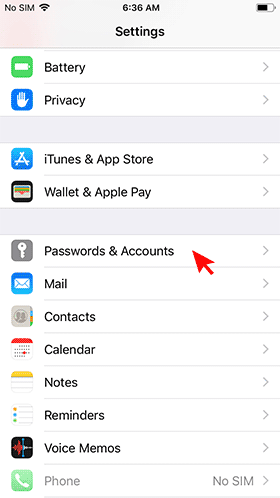
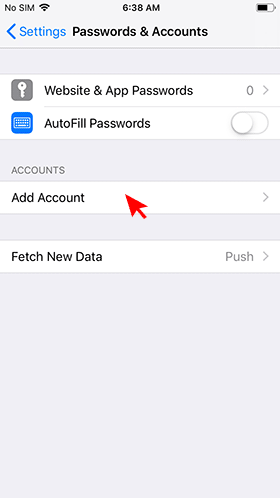
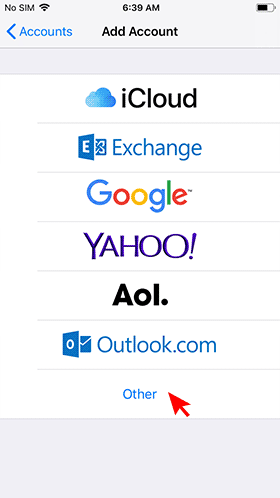
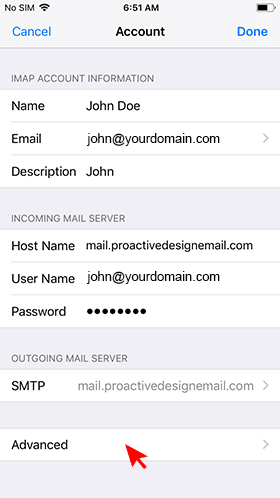
Step #2: Settings should look like this (use your full email for the login and password)
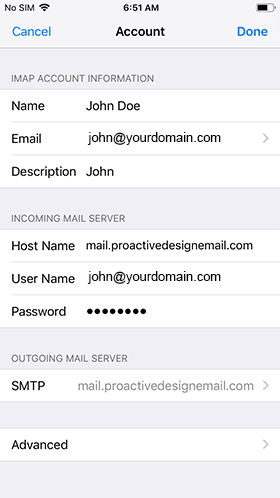
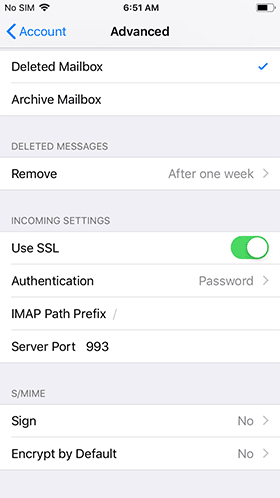
Step #3: Selected "Advanced". When done go back to "Account" (top left).
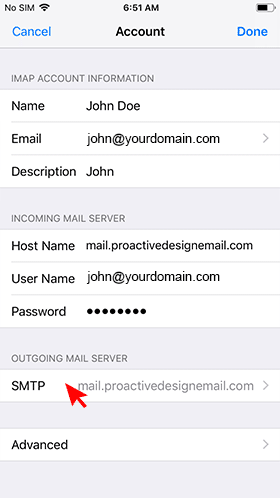
Step #4: From the "Account" screen select "SMTP" under the Outgoing Mail Server section.
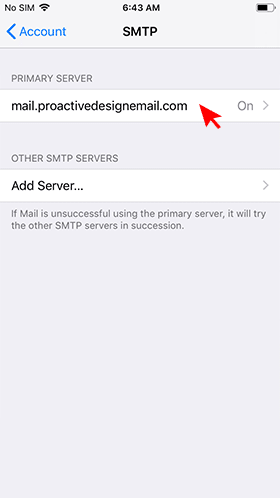
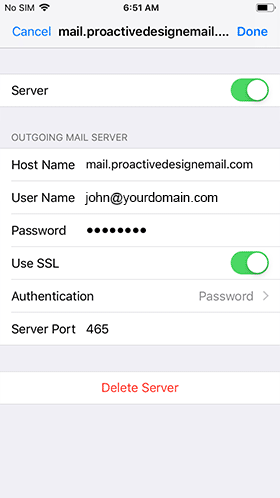
All done.

About Us
Waukesha website design: We provide website design, development, website hosting, email service and graphic design solutions to the Greater Milwaukee - Waukesha Wisconsin area and the surrounding communities in southeastern Wisconsin, but we are more than willing to work with those out of this area.
Clients
Use our secure portal to view current and past projects, open invoices and website hosting accounts.
Client Portal Support